
MyConferenceTime administrators can add staff members directly on the website.
This is a fast, efficient method when you have only a few people to add to the system.
- Log in as the admin.
- In the “Admin Options” menu at the top of the screen, select “add user.”
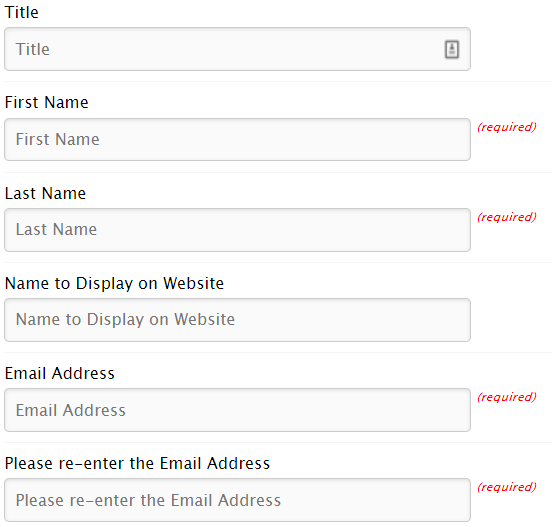
- Enter the staff member’s information.
- Required fields:
- Email Address
- First Name
- Last Name
Optional fields:
- Title — Mr., Mrs., Dr., etc.
- Name to Display on Website— refers to how you want the staff member’s name to appear on the website. It is optional but we strongly recommend taking the time to complete this field. It is a great place to include the teacher's subject, room number and/or grade level.
Text that is entered in the "Name to Display on Website" field overrides the teacher's first and last names when displaying teacher information to parents. (If no “Name to Display on Website” is provided, the staff member’s title (if provided), first name and last name will be displayed on the website.)
Examples:- Mrs. Smith – Room 123
- Adam Ming (English, Room 123)
- 6th Grade Blue Team
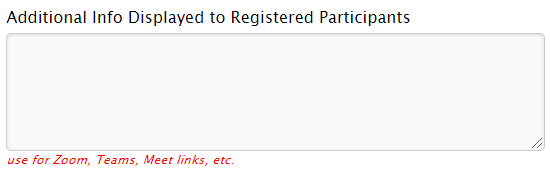
- Extra Information — can be URLs for a virtual conference, a phone number where the staff member can be reached for a phone conference, or any information that you want to provide to parents.
- Required fields:
- If you want to provide a password for the staff member, enter it in the password field.
If you want to create a random password, leave the password fields blank.
Check "yes" for "Send and email to the staff member with log in link and password" if you want the staff member to receive an email upon account creation.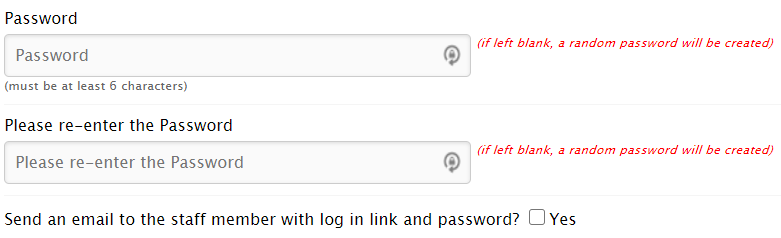
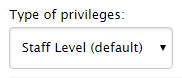
- Select the appropriate permissions level for the staff member. Typically this is “Staff Level” but you can assign an alternate level if you desire.
- If you want the staff member to have a copy of an existing schedule, check the box for "yes" and then select the schedule.


- (optional) If your school uses staff groups, you'll have the option of adding the staff member to an existing staff group:
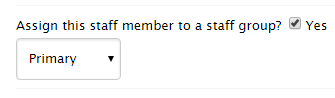 If your school does not use staff groups, you will not have the option of adding the staff member to a staff group.
 - Click on “Join MyConferenceTime.com.”
