
MyConferenceTime admins can search for a parent's phone number to confirm if a text (SMS message) was sent.
- Log in as an admin. Only admins have the ability to search for texts.
- Go to Summaries > Text/SMS Search
- Enter the phone number
- Press the Search button
If the phone number is found, a table will be shown with available data.
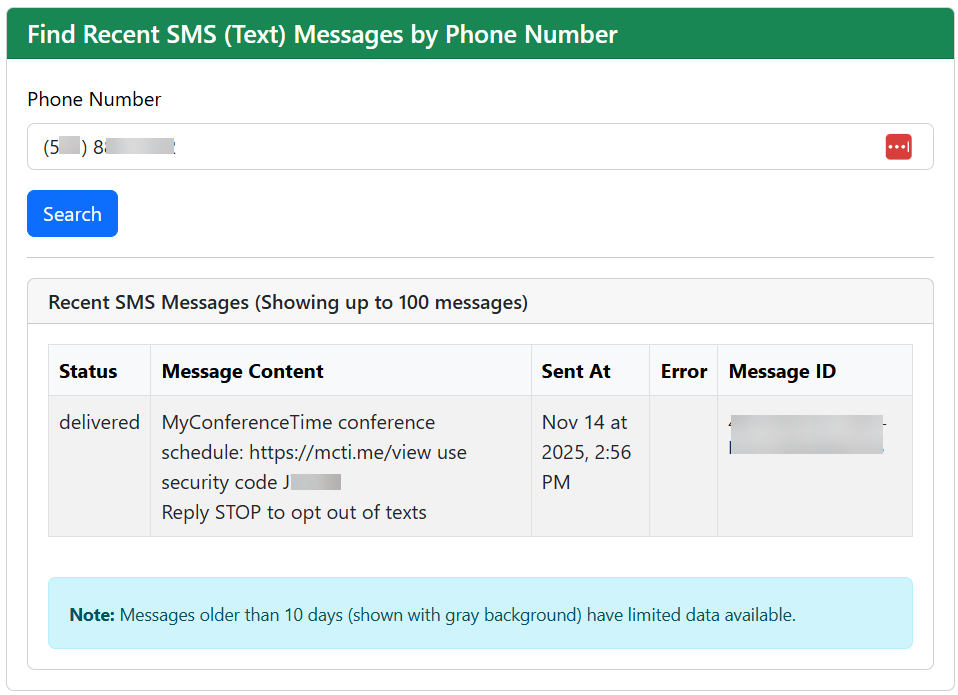
Details regarding the text are available for messages sent within the past 10 days. Limited details are available for messages sent within the past 45 days. No data is available for messages older than 45 days.