
The default setting on MyConferenceTime allows parents to schedule multiple conferences and view individual schedules. By default, a "Register for Multiple Conferences" link appears on your school's homepage along with the teachers' individual schedules.
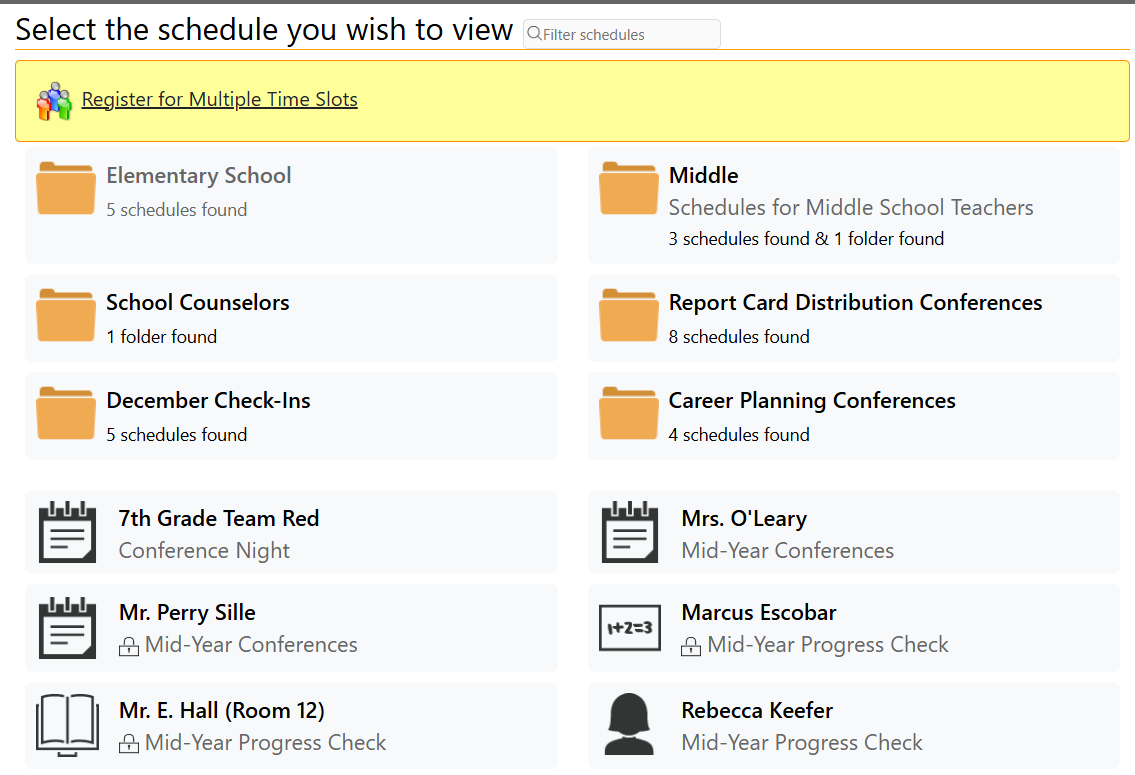
MyConferenceTime school admins can choose to:
- Show the "Register for Multiple Conferences" link and show individual schedules (default)
- Hide the "Register for Multiple Conferences" link and show individual schedules
- Show the "Register for Multiple Conferences" link and hide individual schedules
1. Log in as the admin.
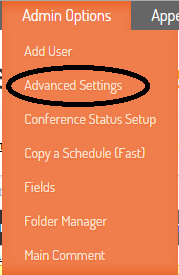
2. In the "Admin Options" menu, select "Advanced Settings"
3. On the Advanced Settings page, change the option for Setting 1.2: "Multiple conference registration link on homepage."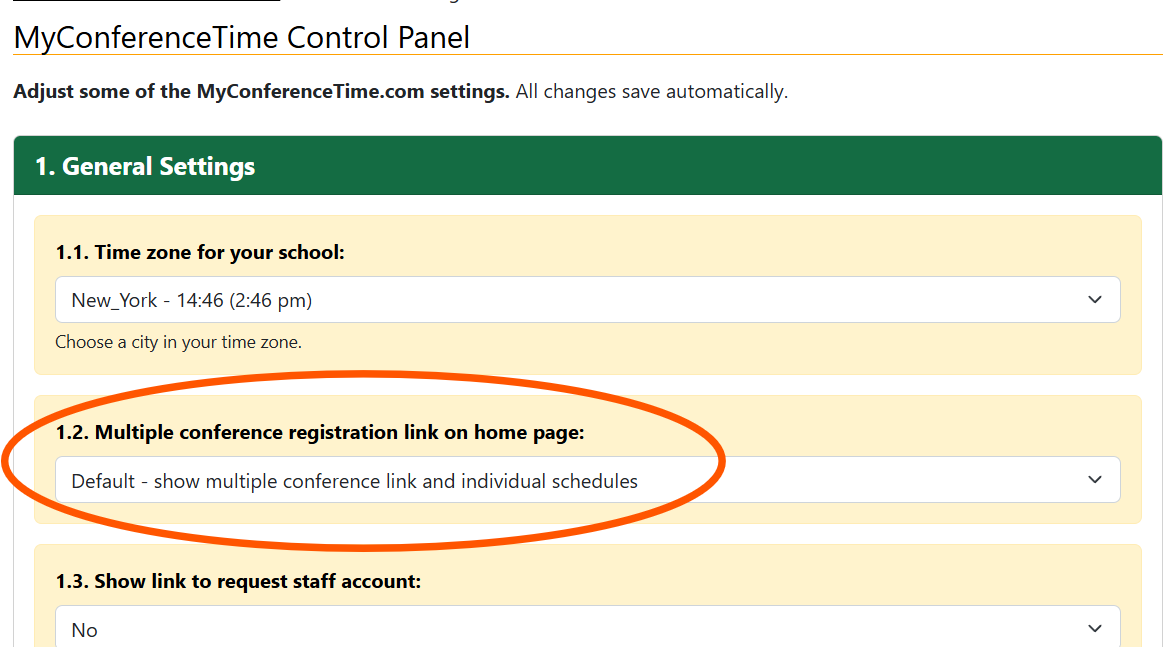
4. Select on of the following choices:
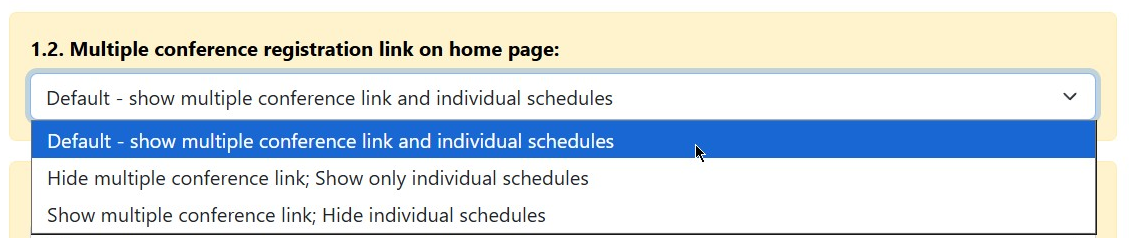
Default - show multiple conference link and individual schedules
- The "Register for Multiple Conferences" link will be displayed on the homepage.
- Individual schedules will be displayed on the homepage.
Hide multiple conference link; Show only individual schedules
- The "Register for Multiple Conferences" link will not be displayed on the homepage.
- Individual schedules will be displayed on the homepage.
Show multiple conference link; Hide individual schedules
- The "Register for Multiple Conferences" link will be displayed on the homepage.
- Individual schedules will not be displayed on the homepage.
When you make your selection, your choice saves automatically. There is no save button to click.